
- Individuals & Families
- Businesses
- Agents & Brokers
- Embedded Insurance

Because pets are family, Chubb now offers pet insurance with top-rated coverage from Healthy Paws.

Chubb offers the insurance protection you need for travel’s many “what ifs”.

Chubb protects small businesses at every stage – from newly formed start-ups to long-time anchors of the community.

Stay ahead of cyber threats with our free Cyber Claims Landscape Report.

Learn more about our dedicated learning paths, Online Learning Center, and more.



Many digital-savvy consumers look for it as a core or add-on option.
Many digital-savvy consumers look for it as a core or add-on option.
Many digital-savvy consumers look for it as a core or add-on option.

Chubb’s in-house technology makes it easy to integrate what we do into your customer experience.

What is a data back up and why is it important?
These days, so much of our lives are on our computers – term papers, tax documents, family photos, favorite songs. That can leave a lot of information at risk, unless you take the time to back it up on another device or service. Don’t think you need to bother? Below are 5 scenarios that could happen to your computer and very real reasons to back up the data on your computer:
Your computer could:
- Get stolen
- Be destroyed or damaged in a fire
- Get damaged by water
- Fail, due to a virus or other reason
- Experience “human error” – you accidentally trash important information

How to do a back up?
Regardless of which issue you face, your data and information would be gone, unless you had backed it up. Two of the most common methods of backing up a computer are using a cloud backup service or an external hard drive. You may want to use one or both to make sure your information is available, no matter what.
How to use a cloud backup service?
Even though cloud storage services are still relatively new, many people like the access and security they provide. Cloud storage allows you to easily transfer files from your computer to a web-based service, which stores them on an off-site database. These services use encryption and authentication to keep your data safe and secure.
Examples of cloud data storage services: Google Drive, Dropbox, iCloud, and Microsoft OneDrive
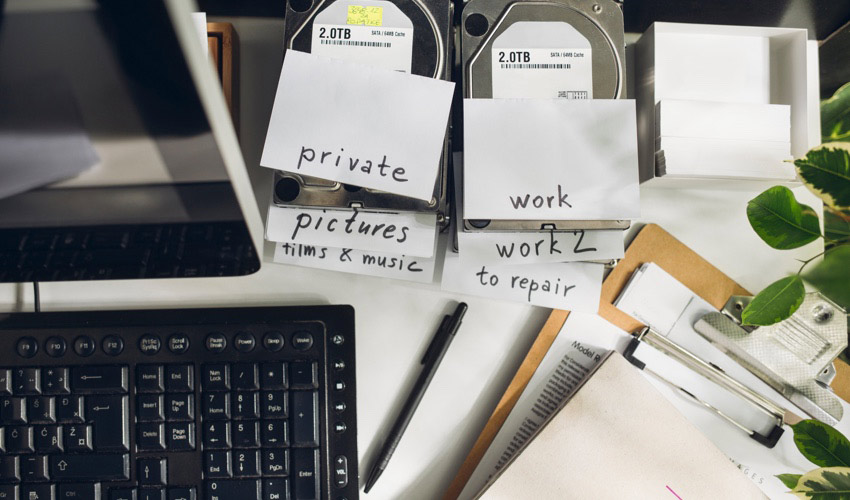
How to backup computer to external hard drive
You can purchase a hard drive at most retailers. They are typically small, self-contained storage units. Some come with extra protection features such as a fireproof or waterproof casing and offer a variety of quality options. By connecting it to your computer, you can easily transfer data using either Mac OS X or Windows, on a daily, weekly, monthly or random basis.
Examples of brands: Seagate, Western Digital, LaCie, CalDigit, Toshiba
Insights and expertise

6 ways to protect your personal information online

6 ways to protect yourself from hackers

How to avoid getting “hooked” by a phishing scam

How to know if you’re a victim of identity theft
This document is advisory in nature and is offered as a resource to be used together with your professional insurance advisors in maintaining a loss prevention program. It is an overview only, and is not intended as a substitute for consultation with your insurance broker, or for legal, engineering or other professional advice.
Chubb is the marketing name used to refer to subsidiaries of Chubb Limited providing insurance and related services. For a list of these subsidiaries, please visit our website at www.chubb.com. Insurance provided by ACE American Insurance Company and its U.S. based Chubb underwriting company affiliates. All products may not be available in all states. This communication contains product summaries only. Coverage is subject to the language of the policies as actually issued. Surplus lines insurance sold only through licensed surplus lines producers. Chubb, 202 Hall's Mill Road, Whitehouse Station, NJ 08889-1600.