
- Individuals & Families
- Businesses
- Brokers

From your home and valuables, to prized collections and jewellery, you have a lot to insure. When you insure your home and contents with Chubb, you will receive a high level of service from an insurer who is specialised in working with successful individuals with high value assets.

For professionals in their first luxury apartment, villa or townhouse through to retirees downsizing from a family house, Masterpiece is also ideal for owners and tenants living in luxury apartments, villas and townhouses.

From high-value homes and fine art collections to luxury vehicles and more, we are here to help ensure that what you treasure most is treated with expertise.

With more than 25 years of experience providing travel insurance to Australians, Chubb Leisure Travel Insurance can help protect you and your family while you travel overseas, knowing Chubb support is there if an incident occurs.

Chubb leverages superior underwriting expertise and world renowned claims, account services, and financial strength to offer insurance solutions for small and medium businesses.

Today's multinational organizations face complex and interconnected risks. We offer insurance solutions that are tailored to global needs as well as local requirements, helping them address their risk challenges.

Our broker resources centre provides you with the latest updates, insights, sales tools, training and much more.

Where was the last public place you visited that had Wi-Fi? These days, nearly every coffee shop, library, airport and hotel offers a way to access the internet from your mobile phone, tablet or laptop. That means the information you have on your device could be available to hackers in the area – unless you’ve taken steps to protect your data. There is a wealth of information about protecting yourself online via staysmartonline.gov.au and cyber.gov.au. Here is a selection of easy-to-implement ways to improve your online safety.
1. Don’t access personal or financial data with public Wi-Fi.
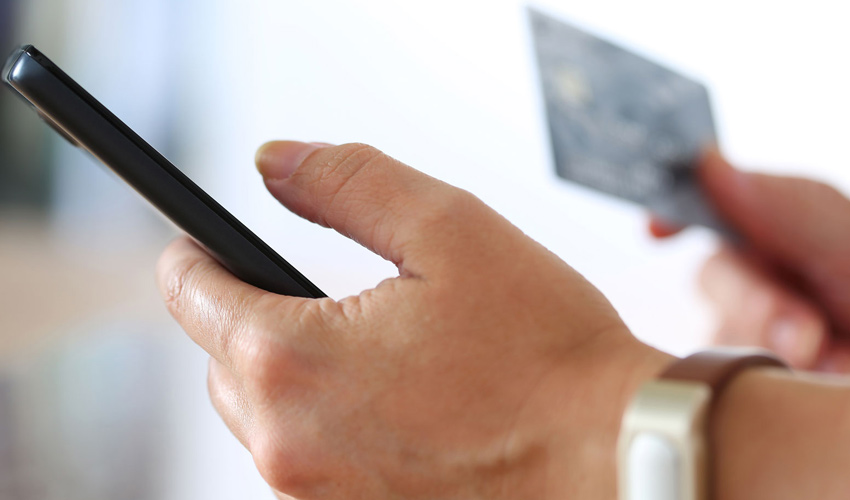
This may seem like a no-brainer, but you’d be surprised how many people check their bank accounts or make purchases with a credit card while using public Wi-Fi. It’s best to do those things on a secure connection.

2. Turn off anything you don’t need.
Hackers can use certain features on your phone to get at your information, location or connection. So, instead of keeping your GPS, wireless connection and geo-tracking on all the time, just turn them on when you need them.
3. Choose your apps wisely.
Only download apps from trustworthy sources that have established a good reputation. Make sure you update your software and apps regularly and get rid of old apps you don’t use.
4. Use a password, lock code or encryption.
Consider managing your passwords via a reputable encrypted password manager such as dashlane.com. Make sure your passwords are at least eight characters long, with a mix of upper and lower case, and include numbers or other characters, and never use the browser auto-complete feature for passwords. You can use the storage encryption feature on your phone to protect your private data, and set your screen to timeout after five minutes or less.
5. Be skeptical about links and attachments.
Phishing is one of the most common forms of cybercrime. Cybercriminals attempt to steal your information by sending fake messages. If you’re not sure about the source, don’t use the link or open the attachment.
6. Trace or erase.
Make sure your data is secure if your mobile device is stolen or lost. You can set up your device to lock itself after a pre-set number of failed log-in attempts.
Insights and Expertise

Introducing the new face of wealth in Australia

The importance of reappraising fine art and collections to current value

Three things to do before making home improvements
Top 8 cleaning tasks for your home

Tips on buying jewellery on Valentines Day
10 steps to prepare for a cyclone
This content is brought to you by Chubb Insurance Australia Limited (“Chubb”) as a convenience to readers and is not intended to constitute advice (professional or otherwise) or recommendations upon which a reader may rely. Any references to insurance cover are general in nature only and may not suit your particular circumstances. Chubb does not take into account your personal objectives, financial situation or needs and any insurance cover referred to is subject to the terms, conditions and exclusions set out in the relevant policy wording. Please obtain and read carefully the relevant insurance policy before deciding to acquire any insurance product. A policy wording can be obtained at www.chubb.com/au, through your broker or by contacting any of the Chubb offices. Chubb makes no warranty or guarantee about the accuracy, completeness, or adequacy of the content. Readers relying on any content do so at their own risk. It is the responsibility of the reader to evaluate the quality and accuracy of the content. Reference in this content (if any) to any specific commercial product, process, or service, and links from this content to other third party websites, do not constitute or imply an endorsement or recommendation by Chubb and shall not be used for advertising or service/product endorsement purposes. ©2026 Chubb Insurance Australia Limited ABN: 23 001 642 020 AFSL: 239687. Chubb®, its logos, and Chubb.Insured.SM are protected trademarks of Chubb.