
- Individuals & Families
- Businesses
- Brokers

From your home and valuables, to prized collections and jewellery, you have a lot to insure. When you insure your home and contents with Chubb, you will receive a high level of service from an insurer who is specialised in working with successful individuals with high value assets.

For professionals in their first luxury apartment, villa or townhouse through to retirees downsizing from a family house, Masterpiece is also ideal for owners and tenants living in luxury apartments, villas and townhouses.

From high-value homes and fine art collections to luxury vehicles and more, we are here to help ensure that what you treasure most is treated with expertise.

With more than 25 years of experience providing travel insurance to Australians, Chubb Leisure Travel Insurance can help protect you and your family while you travel overseas, knowing Chubb support is there if an incident occurs.

Chubb leverages superior underwriting expertise and world renowned claims, account services, and financial strength to offer insurance solutions for small and medium businesses.

Today's multinational organizations face complex and interconnected risks. We offer insurance solutions that are tailored to global needs as well as local requirements, helping them address their risk challenges.

Our broker resources centre provides you with the latest updates, insights, sales tools, training and much more.
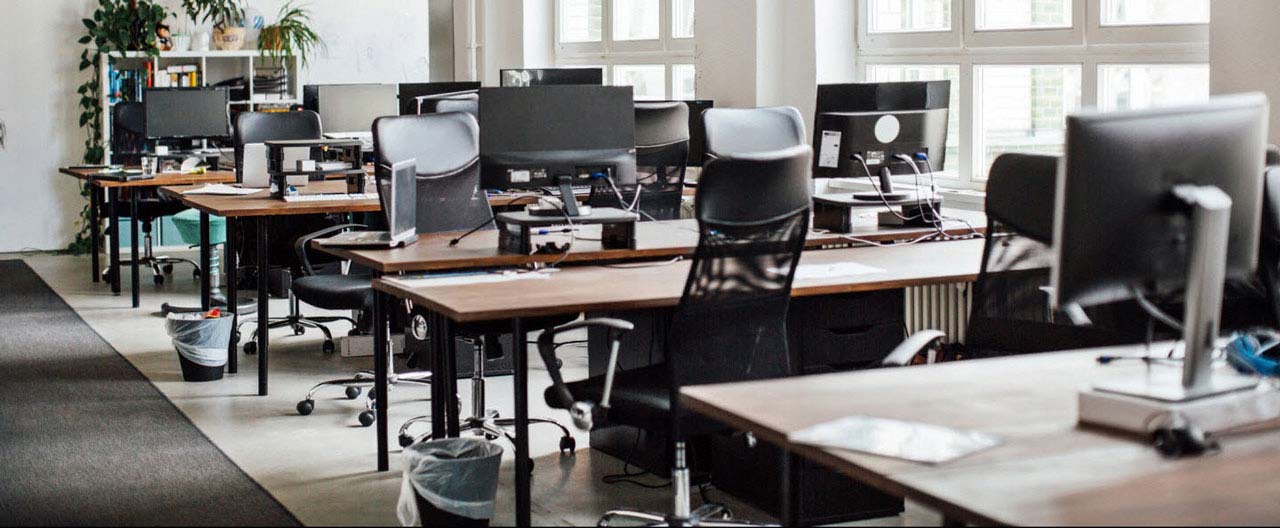
Whether you’re working in an office or from home, having the right workspace set-up can help you avoid what is becoming the fastest-growing category of workplace injury: Musculoskeletal Disorder (MSD). MSDs such as carpal tunnel syndrome or tendonitis are often related to repetitive motion and stress injuries resulting from ergonomic stressors, like lifting heavy items, typing for too long on a computer, or sitting at a workstation in an awkward position.
What can you do to prevent getting an MSD? Here are some tips from worksite safety experts on how to use ergonomics—the science that seeks to adapt tasks and tools to fit the employee—to help you stay healthy and avoid injuries on the job.
1. Adjust your chair
Ideally your workspace should have an adjustable chair that you can customise to work best for you. Specifically, you’ll want to pay attention to:
- Height: Adjust the seat height so that your feet are flat on the floor and your thighs are parallel to the ground (with your knees at a 90 degree angle). If your feet still cannot touch the floor, you may want to place them on a book, briefcase, or other solid object in order to keep your legs in the ergonomically correct position.
- Low back support: The chair’s lumbar support should be located in the small of the back (approximately belt loop height). If you still need additional support, a rolled up bath towel or pillow can be used to support your lower back.
- Depth: The seat pan should support as much of your legs as possible without touching the back of your knees.
- Arm rest: Arm rests should be slightly below sitting elbow height. Set the width so that the arms are close to your body.
2. Customise your desk and computer
Your workspace should be set up with the following:
- Mouse and keyboard: The mouse should be located next to the keyboard at the same height and directly in front of you. Your elbows should be bent at a 90 degree angle, wrists straight, and shoulders relaxed while working.
- Screens or monitors: The monitor should be placed directly in front of you, and approximately an arm's length away. The top of the screen should be at eye level.
- Glare: If your workspace has a window, position the monitor perpendicular to the window. Use blinds to regulate natural light levels. The monitor should be tilted as close to vertical as possible to minimise glare from overhead lighting.
- Layout: Keep items that you use most often close to you to minimise excessive reaching. Also make sure you have enough leg room.

3. Don’t forget about your commute
Now that your workspace is set up ergonomically, what about the bag you carry to and from the office, or when travelling? Lighten your load by only carrying what is needed, or consider using a rolling bag or backpack to distribute the weight evenly to both sides of your body.
4. Alternate between sitting and standing
You may feel uncomfortable when sitting for too long, which is why many offices are beginning to implement standing desks or sit/stand workstations. Standing workstations allow you to work with a more neutral back posture when compared with seated work. However, standing requires more energy than sitting and can put stress on certain joints such as your hips, knees, or feet. It may be beneficial to alternate between sitting and standing throughout the day.
5. Incorporate breaks and stretching into your routine
Listen to your body and take short breaks throughout the day when you start to feel any discomfort. This can help improve blood flow and keep working muscles fresh and loose. Not sure where to start? Check out our Stretching Examples guide.
Working from home
It is just as important to set up healthy habits when you work from home—even if you are only doing so occasionally or on a temporary basis. Take the time to create a defined workspace—if possible, in a well-lit room with as much natural light as possible. Invest in a good chair and consider getting a monitor and separate mouse and keyboard to avoid the strain of hunching over a tiny laptop. Take regular breaks to stand up and stretch; and above all, try not to succumb to the temptation of lounging on the couch while you work—your back will thank you!
Insights and expertise
6 steps to prepare your business facilities for reopening

Chubb Travel Smart

Understanding pandemics and protecting your business in a health emergency

Reduced occupancy and premises shutdown
This content is brought to you by Chubb Insurance Australia Limited (“Chubb”) as a convenience to readers and is not intended to constitute advice (professional or otherwise) or recommendations upon which a reader may rely. Any references to insurance cover are general in nature only and may not suit your particular circumstances. Chubb does not take into account your personal objectives, financial situation or needs and any insurance cover referred to is subject to the terms, conditions and exclusions set out in the relevant policy wording. Please obtain and read carefully the relevant insurance policy before deciding to acquire any insurance product. A policy wording can be obtained at www.chubb.com/au, through your broker or by contacting any of the Chubb offices. Chubb makes no warranty or guarantee about the accuracy, completeness, or adequacy of the content. Readers relying on any content do so at their own risk. It is the responsibility of the reader to evaluate the quality and accuracy of the content. Reference in this content (if any) to any specific commercial product, process, or service, and links from this content to other third party websites, do not constitute or imply an endorsement or recommendation by Chubb and shall not be used for advertising or service/product endorsement purposes. ©2026 Chubb Insurance Australia Limited ABN: 23 001 642 020 AFSL: 239687. Chubb®, its logos, and Chubb.Insured.SM are protected trademarks of Chubb.